User Manual

Electronic Pump
Management System

Electronic Motor Starter with Dry Run & Overload Protection. Everything in your printed manual โ€” installation, keypad, wiring and safety โ€” in one searchable page.

3 ยท Installation Guide

Up and running in six steps

Mount the panel

Mount the panel securely on the wall, at a location convenient for viewing the display and operating the keypad.

Turn OFF main power

Turn OFF the main power supply before wiring โ€” never wire a live panel.

Open the panel

Open the panel to access the terminal block.

Connect motor & supply

Connect the Motor and Power Supply to the correct terminals as shown in the wiring diagram below.

Switch ON

Switch ON the power supply once every connection is double-checked.

Ready to operate

The system is now ready for operation โ€” press ON to start the motor.

Wiring Diagram

Power & motor connection

Ensure all connections are tight and secure before switching ON the power.

1MOTOR
2MOTOR
3SUPPLY
4SUPPLY
5STARTER
Terminal 1 & 2 โ€” Motor
Terminal 3 & 4 โ€” Power Supply (L / N)
Terminal 5 โ€” For Starter
4 ยท Keypad Buttons

Six buttons, full control

โ–ฒ1
UP Arrow 1

Increase value before the decimal point.

โ–ฒ2
UP Arrow 2

Increase value after the decimal point.

OL
Overload

Press & hold to set the Overload current.

DR
Dry Run

Press & hold to set the Dry Run current.

ON
ON

Press to start the motor.

OFF
OFF

Press to stop the motor.

5 ยท Display Indication

Know what the display is telling you

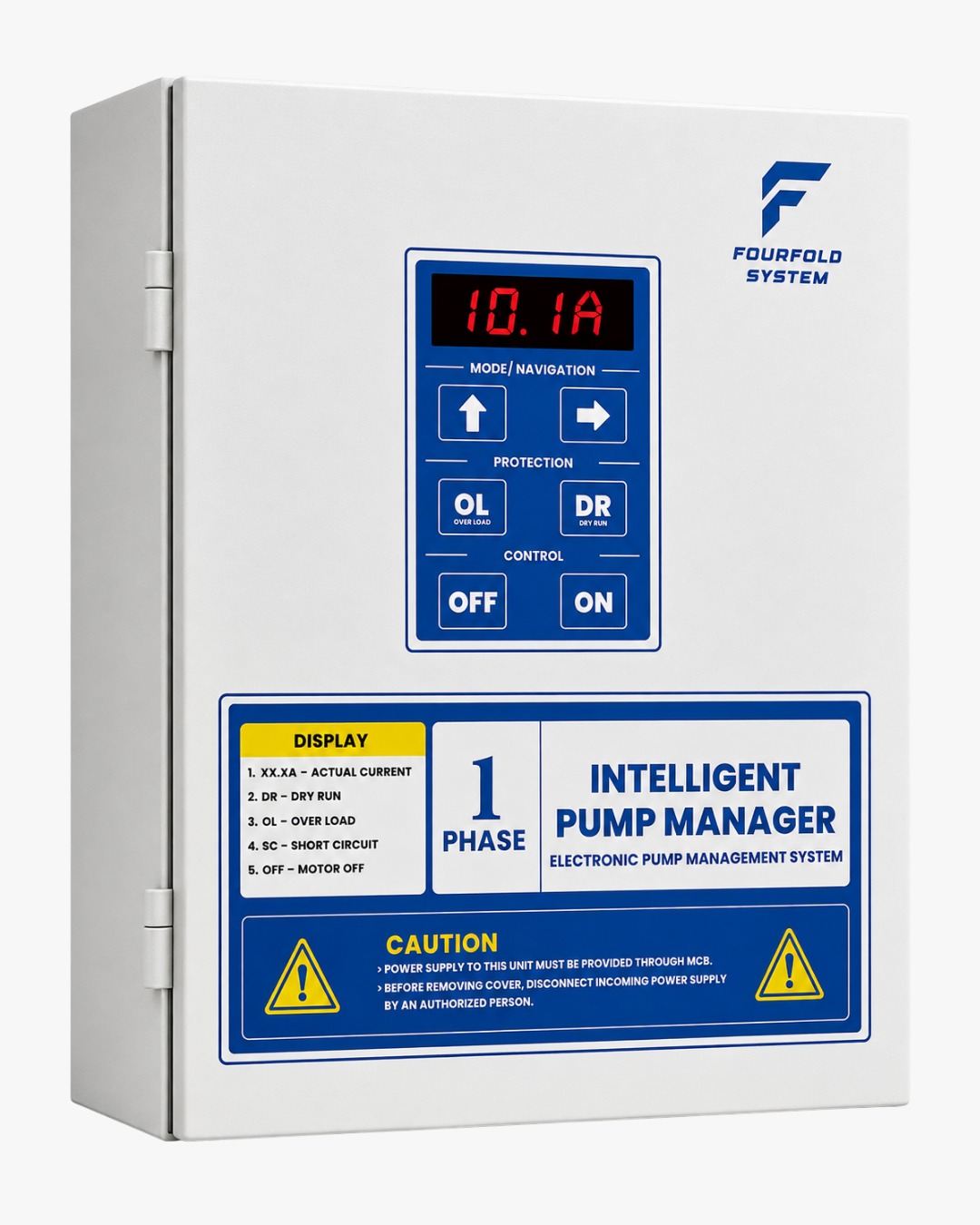
DisplayMeaning
OLOverload โ€” current above the safe threshold (high current)
DRDry Run โ€” current below the safe threshold (low current, no water)
SCShort Circuit detected โ€” motor cut off immediately
OFFMotor OFF / standby
10.1ALive motor current display, shown in Amps
6 ยท Auto & Manual Current Setting

Let it learn, or set it yourself

Recommended

Auto Mode

In Auto Mode, the controller automatically learns and sets:

  • โœ… Overload (OL) Current
  • โœ… Dry Run (DR) Current

No manual calibration is required.

Manual Mode

1. Press & hold OL or DR until 0000 appears on the display.
2. Press OL to set Overload, or DR to set Dry Run current.
3. Use UP Arrow 1 to change the value before the decimal point.
4. Use UP Arrow 2 to change the value after the decimal point.
5. Wait a few seconds โ€” the controller automatically saves your setting.
7 ยท Safety Instructions

Install it right, the first time

โš ๏ธ

Switch OFF the power before installation.

๐Ÿ“–

Read the installation guide completely before wiring.

๐Ÿ”Ž

Double-check all wiring connections before switching ON the power.

๐Ÿ“

Install sensors at the recommended levels.

โ˜Ž๏ธ

Contact FourFold Support if you need any assistance during installation โ€” get in touch here.